Deep Field
Animated wallpapers for macOS
A black hole on your desktop.
Deep Field puts a moving space scene behind your windows: a lensed black hole, a spiral galaxy, an aurora seen from orbit, 19 scenes in all. Each one starts from real physics and is drawn like an old screen would draw it, with big pixels and ordered dithering.
macOS 14 Sonoma or later · Apple silicon and Intel · signed, notarized and updates itself. What's new · All releases
Install
-
Download
Get DeepField.dmg and open it.
-
Drag to Applications
Drop Deep Field into your Applications folder, then open it from there.
-
Pick a scene
A short guide lets you try scenes and looks. Click Set as Wallpaper when you like one.
Pick your spot in space
Black holes that really bend light, galaxies that turn on a real rotation curve, a star being torn apart. Hover or tap a scene to clear the dither, and click for a bigger look.
Dynamic
Rare happenings drift through the sky, a few an hour: supernovae, comets, flares, coronal mass ejections. You choose how often each one shows up, and a Show Me button plays one right away.
-
A supernova
A background star flares up, then a ring of light, its echo, spreads out from it.
-
A comet loses its tail
The solar wind snaps the blue ion tail off and it drifts away.
-
Something comes through
Every so often, something emerges from the wormhole.
Clips are sped up so you don't have to wait an hour.
Customize
Click the menu bar icon and choose Customize…. You get a live preview and four sections of settings.
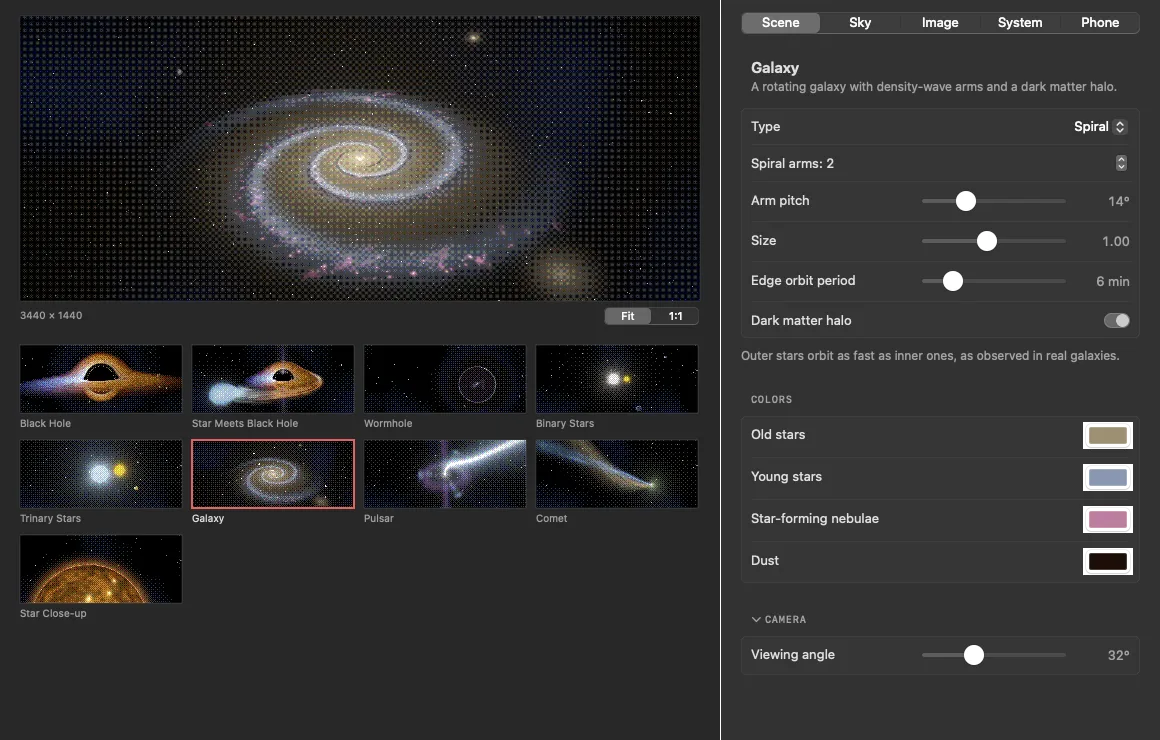
Every scene has its own knobs
Pick a scene from the gallery and the panel shows what you can change for it: its shape and motion, its colors and the camera angle. The galaxy can be spiral, barred, elliptical, ring or irregular, and has a dark matter switch. The black hole has planets that bend as they pass behind it.
- Shape, size and speed for each scene
- Pick every color yourself, or start from one of six palettes
- Camera angle and framing
- Settings save as you go
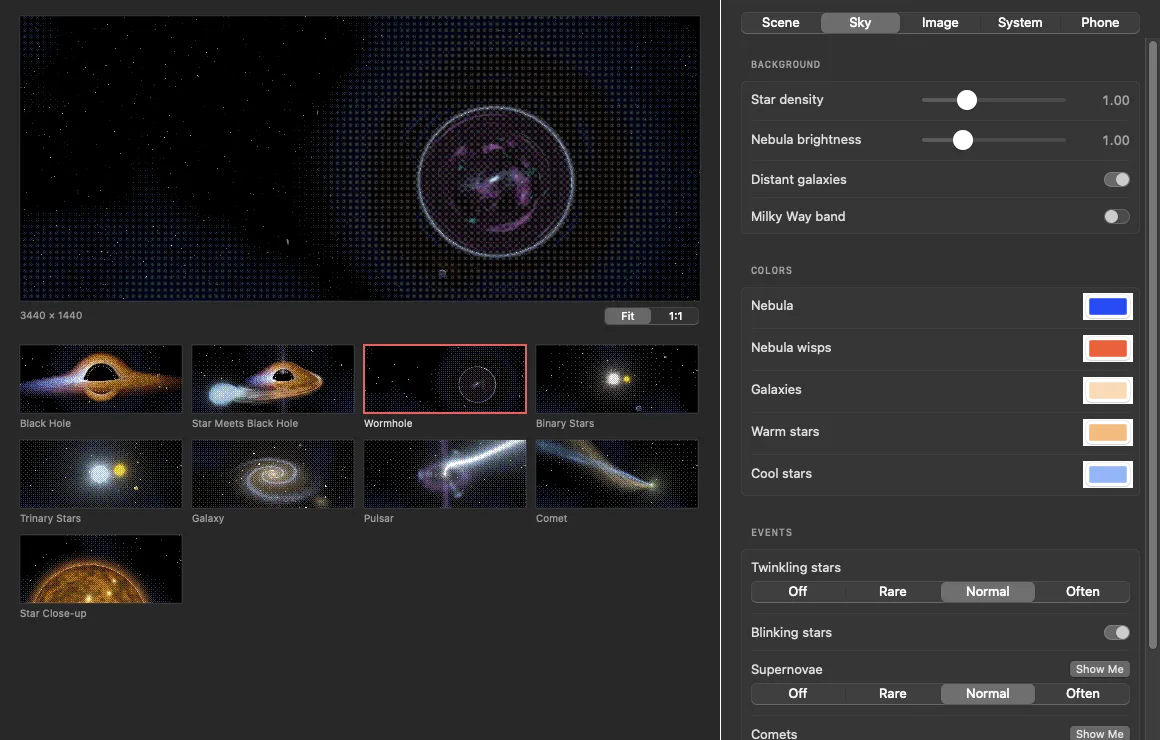
The sky behind it, and what happens there
Set how many stars there are, how bright the nebula glows, and whether distant galaxies or a Milky Way band show up. Then decide how often things happen: twinkles, supernovae, passing comets, flares. Each event has Off, Rare, Normal and Often, and a Show Me button that plays one right now.
- Star density, nebula brightness, Milky Way band
- Sky colors for nebulae, galaxies and stars
- Event frequency per event
- Show Me buttons to see an event on demand
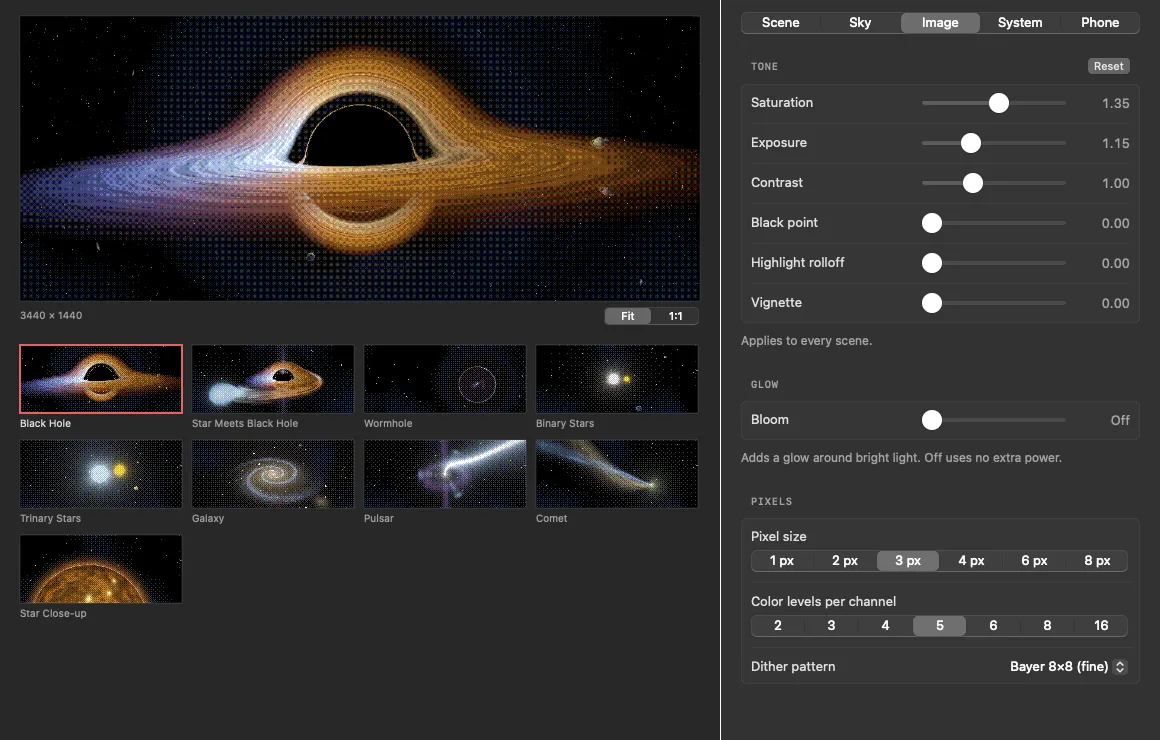
Tune the look itself
Tone controls work on the light before it gets dithered, so the result always stays pixel art. Add bloom for a soft glow around bright light (off uses no extra power). Then choose how chunky it gets: pixel size from 1 to 8, color levels per channel from 2 to 16, and the dither pattern, or turn dithering off.
- Exposure, contrast, saturation, black point, vignette
- Bloom
- Pixel size, color levels, dither pattern
- Applies to every scene
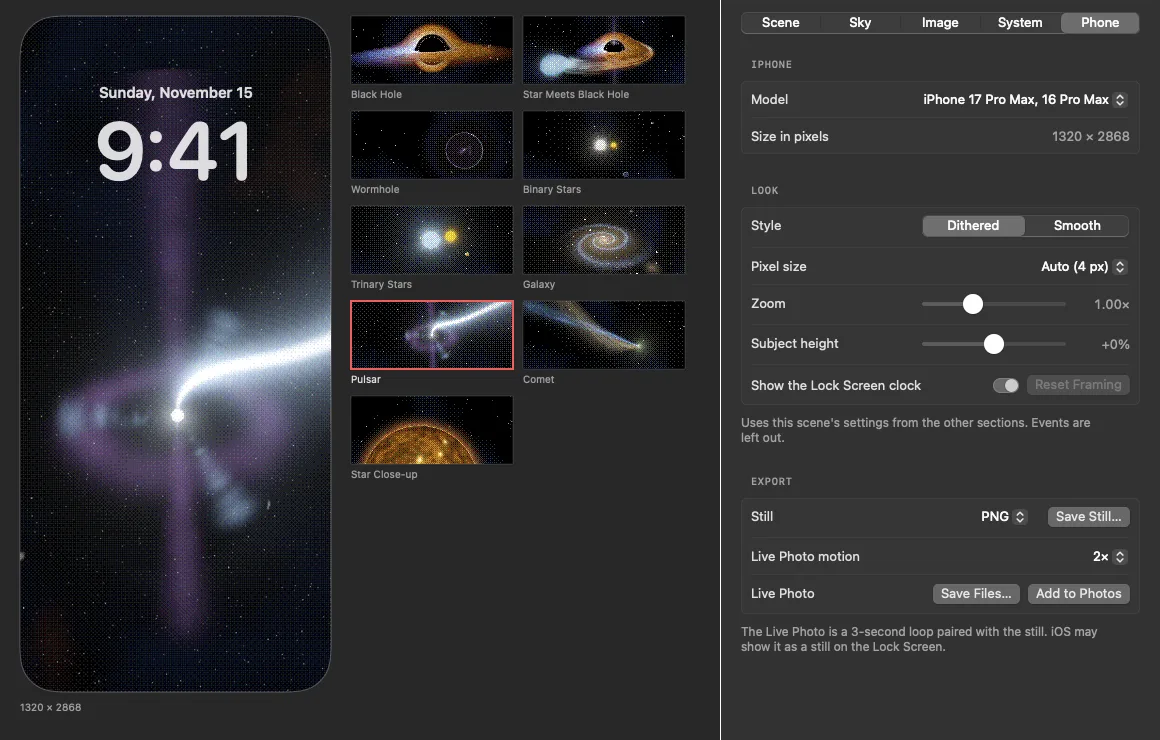
Take it with you
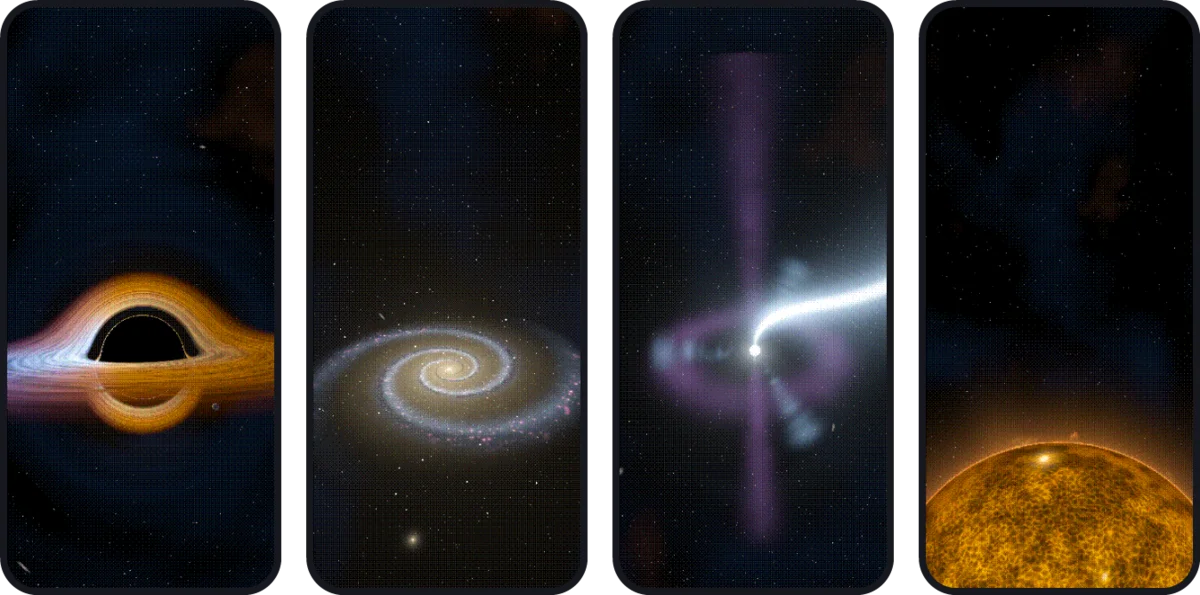
The Phone tab turns the current scene into an iPhone wallpaper, framed so the subject sits below the Lock Screen clock. Choose your model, dithered or smooth, zoom and height. Save a still, or a 3-second Live Photo you can add straight to Photos.
- Sized for current iPhones
- Dithered or smooth
- Still (PNG) or Live Photo
- Add to Photos in one click
Try the pixel look
A tiny version of the Pixels controls, running right here. The app does this on the GPU for every frame.
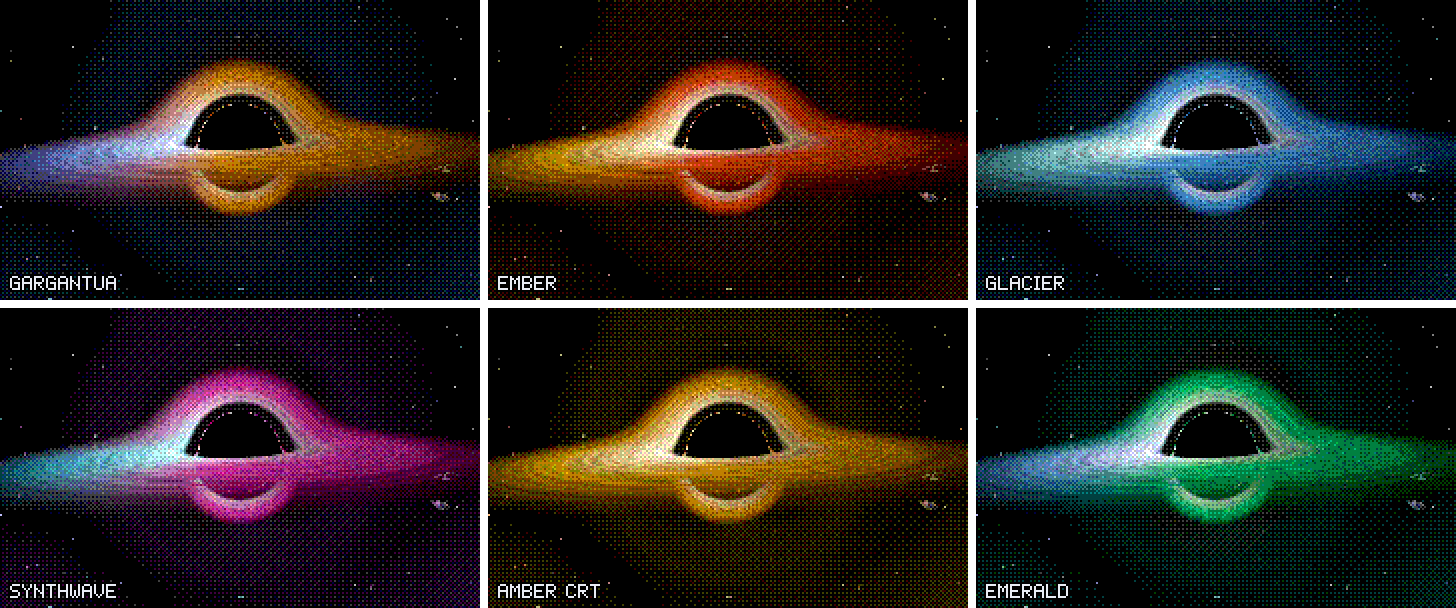
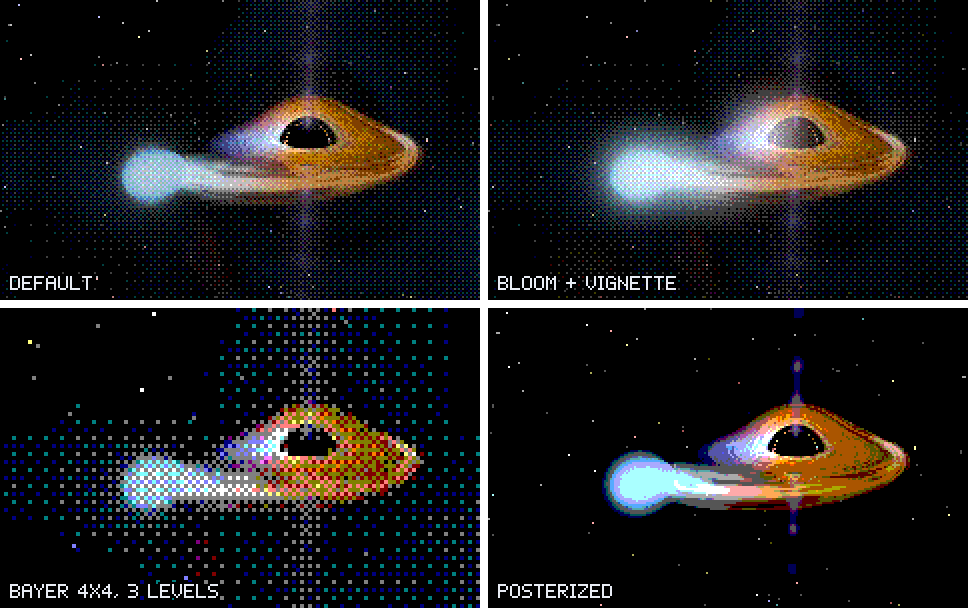
Presets
Found a look you like? Save it from the Presets menu in Customize. Your presets show up in the menu bar, so you can swap between a calm galaxy for work and a black hole for the evening without opening anything.
Presets export as small .deepfield files. Send one to a friend and they can import it into their own copy
of Deep Field.
Ember Galaxy.deepfield
Phone wallpapers
Lock and login screens
macOS shows a regular picture on the lock and login screens. Turn on Use Scene on Lock Screen and Deep Field puts a still of your scene there too. Turn it off and your old pictures come back.
Your phone
Export the current scene as an iPhone wallpaper, framed so the subject sits below the clock. Save it as a still or as a Live Photo you can add straight to Photos. (iOS often shows Live Photos as stills on the Lock Screen unless they came from the Camera.)
Optimized
The chunky look isn't only style. It's also why Deep Field barely touches your GPU.
- 1/3resolution. It draws a third as wide and tall as your screen, so the GPU shades about one pixel in nine.
- 24 fpsby default, 12 in Low Power Mode, and less when the Mac runs hot.
- 0frames when the desktop is covered, the displays sleep, or you switch users. It just stops.
- <1 msof GPU time per frame for most scenes.
Build it yourself
Deep Field is open source under the GPL-3.0 license, and the code is on GitHub. You need the Swift toolchain from Xcode or the Command Line Tools; the shaders compile at runtime, so there is no Metal toolchain to set up.
DEVELOPMENT.md covers the code layout, how the ray tracing and dithering work, and the command line tools for snapshots and benchmarks.
$ git clone https://github.com/narrowstacks/deep-field.git
$ cd deep-field
$ ./build.sh && open build/DeepField.app
Get your space in space now
macOS 14 Sonoma or later · Apple silicon and Intel · signed, notarized and updates itself. What's new · All releases
New in 0.2.1
- The scene gallery in the Customize window scrolls, so every scene can be reached. Before, the last few were cut off with no way to get to them.
- The Customize window can be resized. Make it taller to see more scenes at once, or wider for more room for settings. It remembers its size and position.